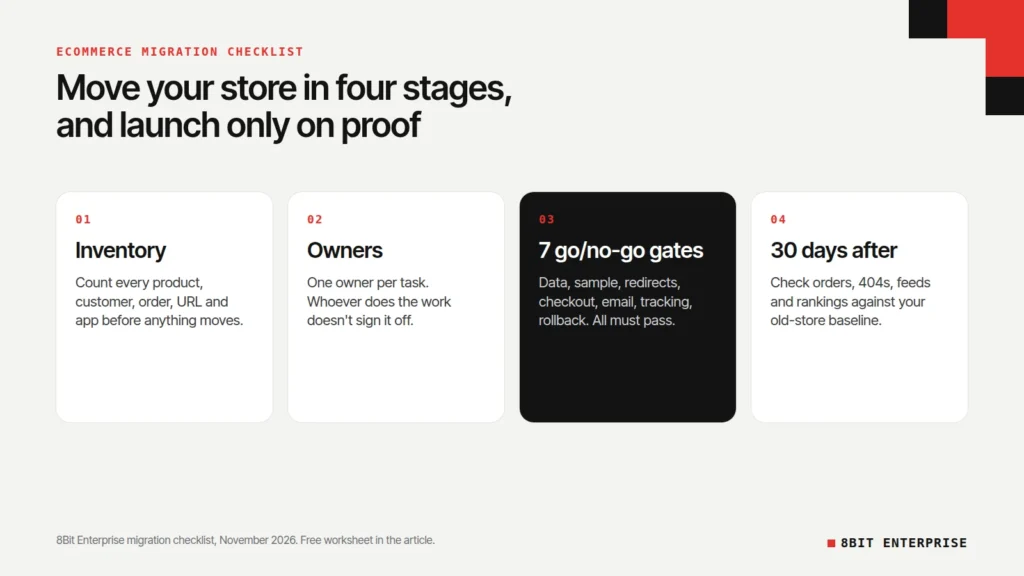
Quick answer: An ecommerce migration checklist has four stages: list everything you’re moving, give every task one owner, pass a go/no-go gate for data, redirects, payments, email and tracking before launch, then check sales, search and orders for 30 days after. Don’t switch the domain until every gate has written proof.
What Is an Ecommerce Migration Checklist?
An ecommerce migration checklist is a list of every task, check and sign-off needed to move an online store from one platform to another without losing data, sales or search traffic. A good one says who owns each task, what proof counts as done, and what must pass before the new store goes live.
The top-ranking checklists we read stop at the task list. This ecommerce migration checklist adds the parts that decide whether launch day goes well: an owner for every task, pass rules for each go/no-go gate, a plan for the hours around the switch, and a free worksheet you can fill in with your developer.
Download: Ecommerce migration checklist worksheet (Excel), with tabs for the inventory, owners, gates, cutover and 30-day checks.
TL;DR
- Google’s site move guidance says to keep redirects “for as long as possible, generally at least 1 year.”
- Shopify’s migration checklist says passwords are encrypted, so “only customer records are imported.” Customers have to set a new password.
- Shopify doesn’t let you redirect URLs on its fixed paths such as /products and /collections, so map old URLs to the new ones before launch.
- None of the top-ranking migration checklists we read sets go/no-go gates with pass rules. This guide has seven.
What Does an Ecommerce Migration Involve?
An ecommerce migration involves moving your products, customers, orders, content and URLs to a new platform, reconnecting every app and integration, and switching your domain to the new store. Ecommerce replatforming is the same job described from the business side: you’re changing the system the whole store runs on, not just the design.
Switching ecommerce platforms comes down to reasons like these: the old platform costs too much to run, can’t support a feature you need, or needs too much developer time to keep working. If you’re moving to Shopify, our guide to Shopify website development cost shows what a migration project usually costs.
Every ecommerce website migration has the same four stages, and the rest of this ecommerce migration guide follows them:
- Inventory: list everything that has to move, and how much of it there is.
- Ownership: give every task one owner.
- Gates: prove each part works before launch.
- Aftercare: watch the store closely for 30 days.
Before You Migrate: What Should You Inventory?
Before you migrate ecommerce store data, write down every type of data and every connection the store has, with a count for each. The counts are what you’ll check against after the move. If the old store has 1,240 products and 3,980 variants, the new one should too.
Ecommerce data migration is where the surprises hide. Products and customers move with import tools, such as Shopify’s free Store Migration app. Other data needs a decision, because it may not move at all.
| Data | Moves with standard import tools? | What to check |
|---|---|---|
| Products, variants, prices | Yes | Counts match, variant options and prices correct |
| Product images | Yes | Every product has its images, in the right order |
| Collections and categories | Check the rules | Rules and product membership match |
| Customers | Yes, without passwords | Count matches, marketing consent kept |
| Customer passwords | No on Shopify | Plan an email asking customers to set a new password |
| Past orders | Depends on the tool | Decide how much history you need |
| Reviews | Needs the review app’s import | Reviews still attached to the right products |
| Gift cards, store credit, loyalty points | Check case by case | Balances match, codes still work |
| Subscriptions | Check with the subscription app | Renewals and saved payment methods |
| Blog posts and pages | Depends on the tool | Content, images and links carried over |
| URLs | No, they change | Full list exported for redirect mapping |
| Apps and integrations | No, they’re reconnected | ERP, warehouse, email, reviews, tax |
| Tracking | No, it’s set up again | Analytics, ad pixels, search console |
The password row matters most for customer experience. Shopify’s migration checklist says to “encourage your customers to sign up again if your store uses customer accounts,” because passwords can’t be imported. Plan that email before launch, not after customers start failing to log in.
Who Owns Each Migration Task?
Every migration task needs exactly one owner, written down before work starts. Shared tasks are the ones that get missed, especially the ones that sit between the store owner and the developer, like checking data or changing DNS. This is the split we use when we scope a migration, and it belongs in any ecommerce platform migration checklist.
| Task | Store owner | Agency or developer | Platform or app vendor |
|---|---|---|---|
| Export of data and access to the old store | Owns | Supports | |
| Moving products, customers and orders | Reviews | Owns | Provides import tools |
| Redirect map and 301 redirects | Reviews top pages | Owns | |
| Theme, design and content | Approves | Owns | |
| App and integration setup | Provides logins | Owns | Supports |
| Checking migrated data | Owns and signs off | Prepares the samples | |
| Test orders and payments | Owns sign-off | Runs the tests | Payment provider supports |
| DNS and domain switch | Owns | Guides the steps | Domain registrar |
| Go/no-go decision | Owns | Recommends |
The pattern is simple. The developer does the work and prepares the proof. The store owner checks the proof and makes the call. Nobody should approve their own work.
The 7 Go/No-Go Gates Before Launch
A go/no-go gate is a check that must pass, with proof, before the new store goes live. If a gate fails, fix it and check again, or move the launch date. None of the top-ranking checklists we read sets pass rules like these.
These seven gates are the core of our ecommerce migration checklist. The thresholds are our advice, not an industry standard.
| Gate | Pass when | Proof to keep |
|---|---|---|
| 1. Data counts | Product, variant, customer and order counts match the inventory | Side-by-side count sheet |
| 2. Data sample | 20 products and 10 customers picked at random are correct field by field | Checked sample list |
| 3. Redirects | Every old URL with traffic or backlinks returns one 301 redirect to its closest new page | Crawl report of old URLs |
| 4. Checkout | A test order passes for every payment method, plus a refund, a failed payment and a discount code | Test order numbers |
| 5. Email | Order, shipping and account emails send, look right, and pass SPF and DKIM checks | Screenshots and an email header check |
| 6. Tracking | Analytics and ad pixels record the test purchase with the right value | Event screenshots |
| 7. Rollback | The old store still works, a backup exists, and one person can make the rollback call | Named owner and written rollback steps |
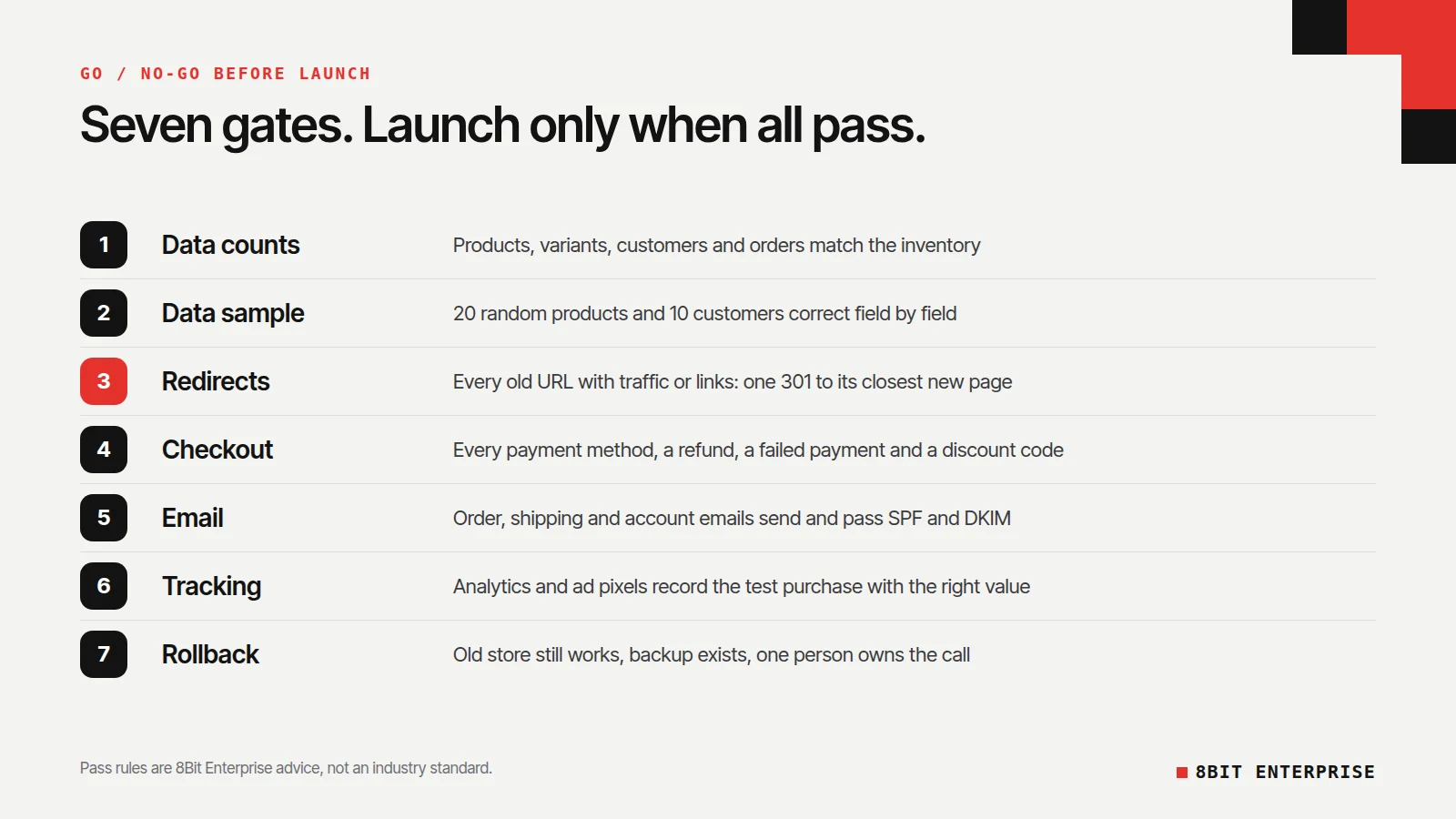
In our ecommerce migration checklist, Gate 3 is the one most likely to fail quietly. Redirects that chain through two or three hops, point everything to the homepage, or use temporary 302 redirects instead of permanent 301s all lose value. Test them with a crawler on the full list of old URLs, not by clicking a few.
How to Avoid Downtime During Ecommerce Migration
You avoid downtime by keeping the old store selling until the moment you switch the domain, and by moving the last orders and customers in a final sync. Cutover is the short window when the domain moves from the old store to the new one. Plan it hour by hour, on a quiet sales day.
- A few days before: ask your DNS provider or registrar how to lower the time-to-live (TTL) on your domain records, so the change spreads faster on the day.
- Pick a low-traffic window, using your own analytics to find the quietest hours.
- Freeze changes: no new products, price edits or content changes on the old store from the freeze point.
- Run a final sync of the orders and customers created since your main data export.
- Switch DNS, then place a real test order on the live domain.
- Watch for an hour: checkout, emails, payments and tracking.
- Decide: keep going, or roll back using the trigger you agreed in Gate 7.
Agree the rollback trigger in writing before the day. For example: if checkout fails for any payment method and can’t be fixed within an hour, point DNS back to the old store. The point is to make the decision before stress makes it for you.
How Do You Protect SEO During an Ecommerce Site Migration?
You protect SEO during an ecommerce site migration by redirecting every old URL to its closest new page with a permanent 301 redirect, keeping those redirects for at least a year, and watching Search Console closely after launch. Redirects carry your rankings and backlinks to the new URLs.
Google’s site move guidance says to keep redirects “for as long as possible, generally at least 1 year,” and warns that rankings can fluctuate while Google recrawls. For medium-sized sites, it says it “can take a few weeks or more” before Google shows the new URLs instead of the old ones. If you also change your domain, Google asks you to submit a Change of Address in Search Console.
On Shopify, product and collection URLs follow a set pattern, and Shopify’s URL redirect guide says you can’t redirect URLs that use fixed paths like /products and /collections. Unless your old platform used the same /products/ and /collections/ paths, your URLs will change, so the redirect map has to be built and tested before launch. Our ecommerce SEO audit checklist covers what to check once the new store is live.
After Launch: Your 30-Day Ecommerce Migration Checklist
The first 30 days after launch are when hidden problems surface, so check the store on a fixed schedule rather than waiting for customers to complain. This part of the ecommerce migration checklist compares everything against numbers you saved from the old store before the move.
| When | What to check |
|---|---|
| Day 1 | Orders coming in, payments settling, emails sending, no checkout errors |
| Days 2 to 7 | 404 errors in Search Console and your crawler, redirect hits, customer login emails, app and integration syncs |
| Week 2 | Product feed approved in Merchant Center, ad tracking matching orders, search rankings for top pages |
| Day 30 | Conversion rate, organic clicks and revenue against the old store’s baseline; decide whether to close the old store |
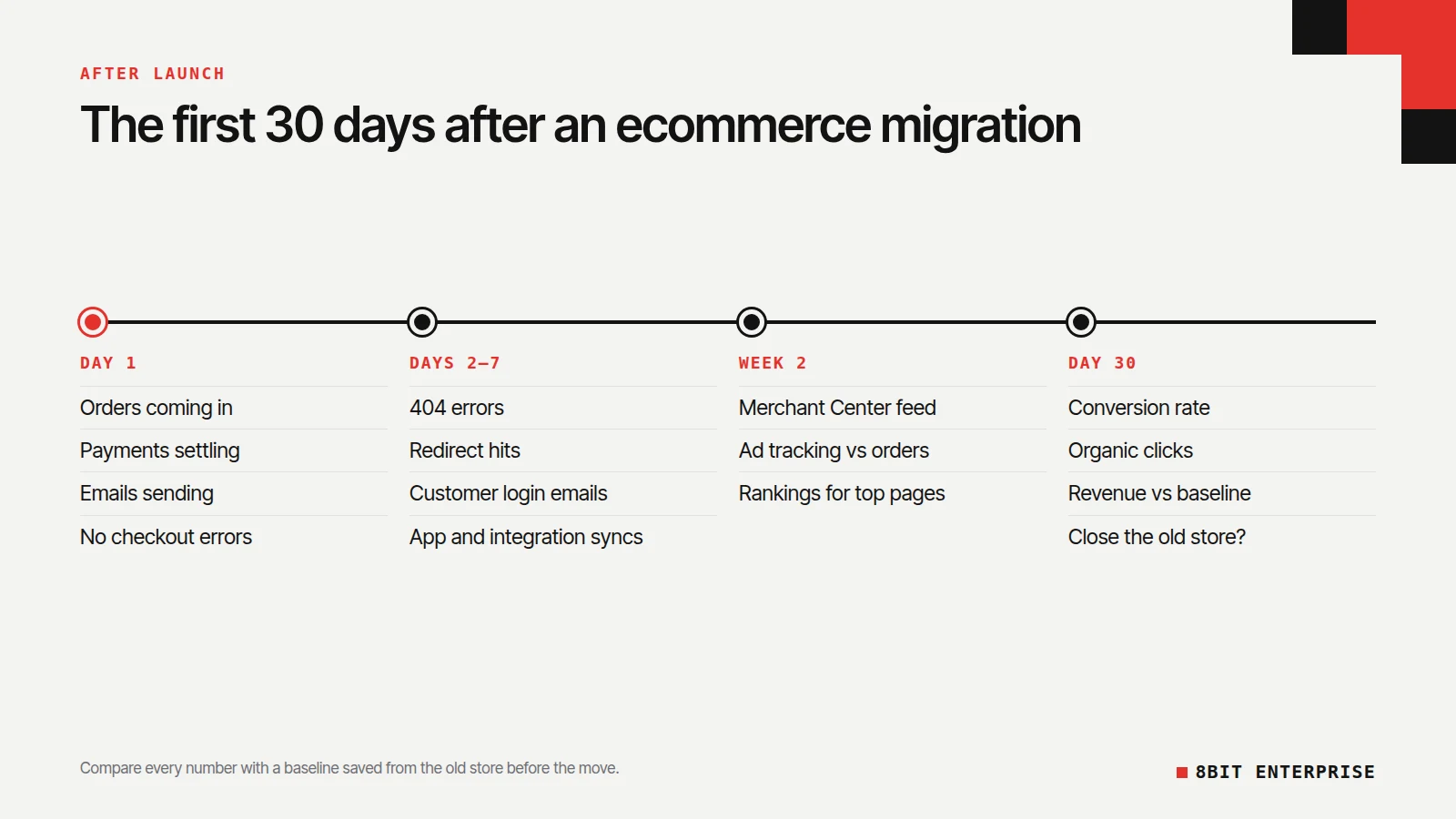
Keep the old store’s data export and redirect map even after you cancel the old platform. You’ll need them if a redirect is missing months later.
How to Measure the Success of an Ecommerce Platform Migration
Measure the success of an ecommerce platform migration by comparing the new store with a baseline you recorded from the old store before the move. Without a baseline, every drop or rise is a guess. Save these numbers for at least the four weeks before launch:
- Conversion rate and average order value
- Organic clicks and impressions from Search Console
- Revenue by channel
- Page speed for your top pages
- Order errors and support tickets
A migration is working when those numbers return to the baseline and then improve on the reason you moved, whether that was speed, lower running costs or a feature the old platform lacked.
Common Ecommerce Migration Mistakes
The ecommerce migration mistakes below are about timing rather than technology: steps done in the wrong order, or skipped because launch day arrived. Whether you migrate ecommerce website content yourself or hire a team, these are the ones we’d watch for:
- Adding redirects after launch. They need to be live the moment the domain switches.
- No data freeze. Orders and edits made during the move get lost without a final sync.
- Forgetting customer passwords. Customers who can’t log in contact support or leave.
- Losing tracking. Ads keep spending while purchases stop being recorded.
- Cancelling the old platform too soon. You lose your fallback and your data export.
- Nobody owning the go/no-go call. Launches drift through on hope instead of proof.
Frequently Asked Questions
What is ecommerce data migration?
Ecommerce data migration is moving a store’s products, customers, orders, reviews and content from one platform to another. Products and customers move with import tools or an app. Passwords, gift card balances, subscriptions and reviews often need separate steps, so list every data type and its count before you start.
How do you avoid downtime when you migrate an ecommerce store?
You avoid downtime by keeping the old store selling until cutover and planning the switch for a quiet hour. Treat it as part of your ecommerce migration checklist:
- Lower your DNS TTL a few days before
- Freeze changes on the old store
- Sync final orders and customers
- Switch DNS and place a live test order
- Keep a written rollback trigger ready
What to look for in an ecommerce platform migration partner?
Look for a partner who gives you a written redirect map, an owner for every task, and pass rules for each launch gate before work starts. Ask who checks migrated data, how they test checkout, and what their rollback plan is. A partner who can’t answer those clearly is guessing.
Can customer passwords be migrated to Shopify?
No. Shopify’s migration checklist says passwords are encrypted, so only customer records are imported. Plan an email that tells customers about the new store and asks them to set a new password, and send it soon after launch so returning customers aren’t stuck at the login page.
How long should you keep redirects after a migration?
Google’s site move guidance says to keep redirects for as long as possible, and generally at least 1 year. That gives Google time to recrawl the old URLs and pass their signals, including backlinks from other sites, to the new pages. Leaving them in place longer costs little, so there’s no reason to remove them early.
Conclusion
An ecommerce migration checklist only protects you if every task has an owner and every gate has proof. Inventory what’s moving, assign owners, pass the seven gates before you switch the domain, and check the store on a schedule for 30 days. The free worksheet at the top of this guide works as an ecommerce replatforming checklist for any platform. If you’d rather have a team own the migration, our ecommerce development team handles data, redirects and launch testing, and you keep the go/no-go call.