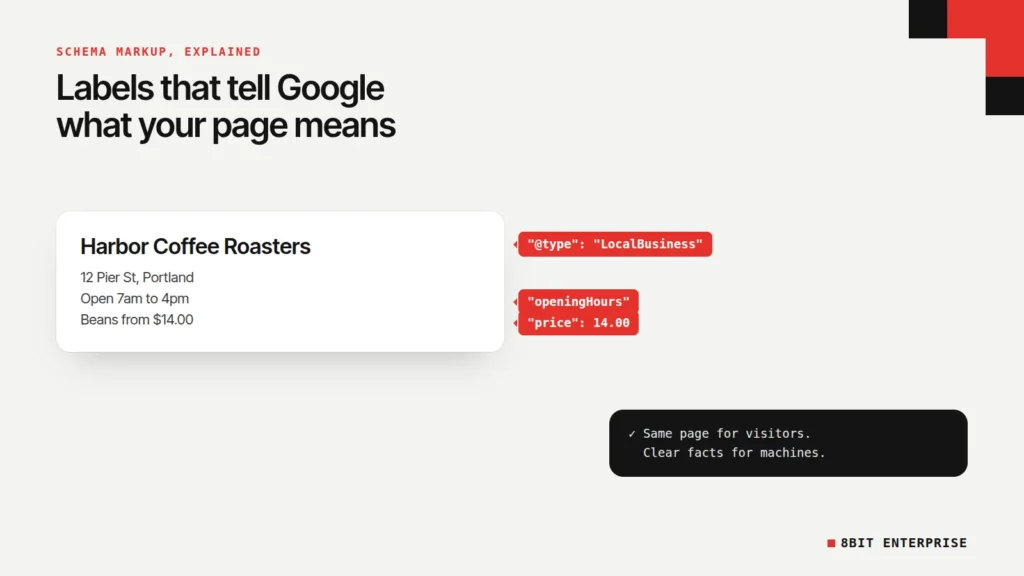
Quick answer: Schema markup is code you add to a web page that labels its key facts, like your business name, a product’s price or an article’s author, in a vocabulary search engines understand. It doesn’t improve rankings directly. It can make a page eligible for richer Google results, and in 2026 Google’s gallery lists 25 features that still use it.
What Is Schema Markup?
Schema markup is structured data, written with the shared schema.org vocabulary, that tells search engines exactly what the content on a page means. Instead of guessing that “$49” is a price, Google reads a label that says it is one. The schema.org vocabulary was founded by Google, Microsoft, Yahoo and Yandex, and in November 2026 it listed 826 types.
Schema markup in layman’s terms
Think of a page as a box of loose papers. A person can read them and work out what’s what. A search engine is faster but less patient, so schema markup works like sticky labels on each paper: “this is the business name,” “this is the price,” “this is the opening time.” The page looks exactly the same to visitors. The labels are only for machines.
Google’s introduction to structured data defines it as “a standardized format for providing information about a page and classifying the page content.” You’ll also hear schema markup called structured data, schema code or just schema. In everyday use they mean the same thing.
TL;DR
- Schema markup labels a page’s facts, such as a price, an address or an author, so search engines read them reliably.
- Google’s search gallery listed 25 structured data features on 14 November 2026. FAQ and HowTo are no longer among them.
- Google’s John Mueller confirmed in April 2025 that structured data won’t make a site rank better.
- Google recommends JSON-LD, a single script block that platforms like Shopify and WordPress plugins often add for you.
How Does Schema Markup Work?
Schema markup works by adding a small block of code, usually JSON-LD, that names a schema.org type and fills in its properties. Search engines read the block alongside the page, match it to the visible content, and use it to understand the page. For some types, Google can then show the details directly in results.
Google supports three formats: JSON-LD, Microdata and RDFa. JSON-LD is the one Google recommends, because it sits in one script block instead of being woven through your HTML, which makes it easier to add and maintain. Google’s documentation adds that all three are “equally fine” if they’re valid.
Schema markup example from a real site
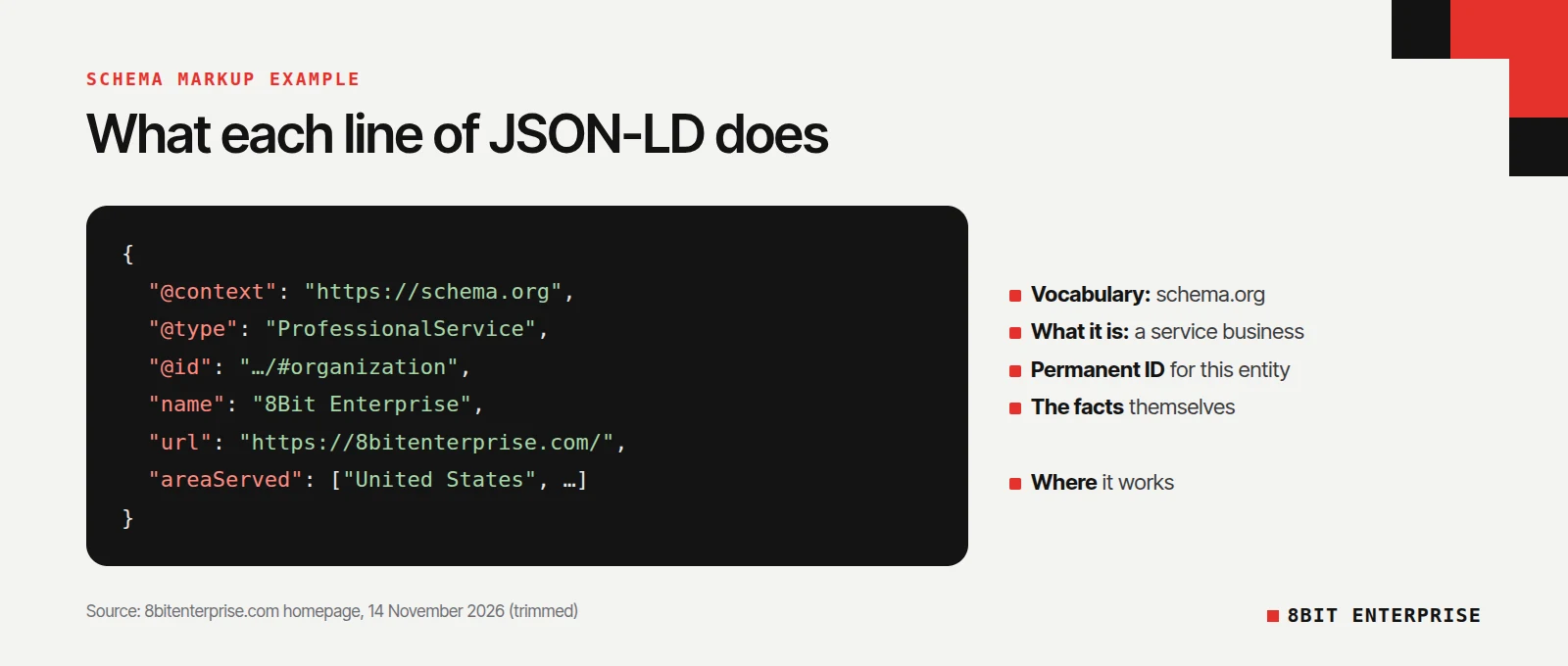
Here’s a trimmed version of the schema markup on our own homepage, as it was live on 14 November 2026. It describes 8Bit Enterprise as a business:
{
  "@context": "https://schema.org",
  "@type": "ProfessionalService",
  "@id": "https://8bitenterprise.com/#organization",
  "name": "8Bit Enterprise",
  "url": "https://8bitenterprise.com/",
  "email": "hello@8bitenterprise.com",
  "logo": "https://8bitenterprise.com/wp-content/themes/8bit/assets/img/brand/icon-512.png",
  "areaServed": ["United States", "United Kingdom", "Canada", "Australia"]
}
Here’s what each line does:
- @context says the labels come from the schema.org vocabulary.
- @type picks what the thing is. ProfessionalService is a kind of LocalBusiness, used for service firms.
- @id gives the business a permanent identifier, so other blocks on the site can point to the same entity.
- name, url, email and logo are the facts themselves.
- areaServed lists where the business works.
One thing we found while checking it: our homepage carries two blocks describing the business, one from our theme and one from the Yoast SEO plugin. Both use the same @id, which signals they describe one entity. Two tools can easily end up writing schema for the same page, so look at your own page source to see what’s already there before adding more.
Schema Markup and SEO: Does It Help Rankings?
Schema markup SEO value comes from presentation, not rankings. Google’s John Mueller said so again in April 2025, as Search Engine Journal reported, explaining that the markup is used to display the search features in Google’s documentation. What schema can change is how your listing looks, and that can change how many people click.
What is schema in SEO, then?
So what is schema as it relates to SEO? It’s a way to make a page eligible for rich results: listings with extras like star ratings, prices, stock status, event dates or breadcrumb paths. Eligibility isn’t a promise. Google’s structured data policies say that using structured data “enables a feature to be present, it does not guarantee that it will be present.”
When rich results do appear, the published numbers are strong, though they come from the companies themselves and from large sites. Google’s structured data introduction reports that:
- Rotten Tomatoes “measured a 25% higher click-through rate for pages enhanced with structured data.”
- Food Network converted 80% of its pages to enable search features and “has seen a 35% increase in visits.”
- Nestlé found “pages that show as rich results in search have an 82% higher click through rate than non-rich result pages.”
Treat those as what’s possible for well-known brands, not a forecast for a small site.
Does schema markup help with AI search?
The evidence is thin. Google’s AI features documentation says there’s “no special schema.org structured data that you need to add” to appear in AI Overviews or AI Mode. An Ahrefs study of 1,885 pages, reported by Search Engine Journal in May 2026, found no clear rise in AI citations after pages added schema. Microsoft is the one major company that has said schema helps its language models understand content, in comments from Bing’s Fabrice Canel in March 2025.
Our take: accurate schema is cheap insurance for search engines and AI tools that do read it, but it’s not a shortcut to AI citations. We cover that topic in more depth in our guide to GEO for ecommerce.
Types of Schema Markup That Still Show in Google in 2026
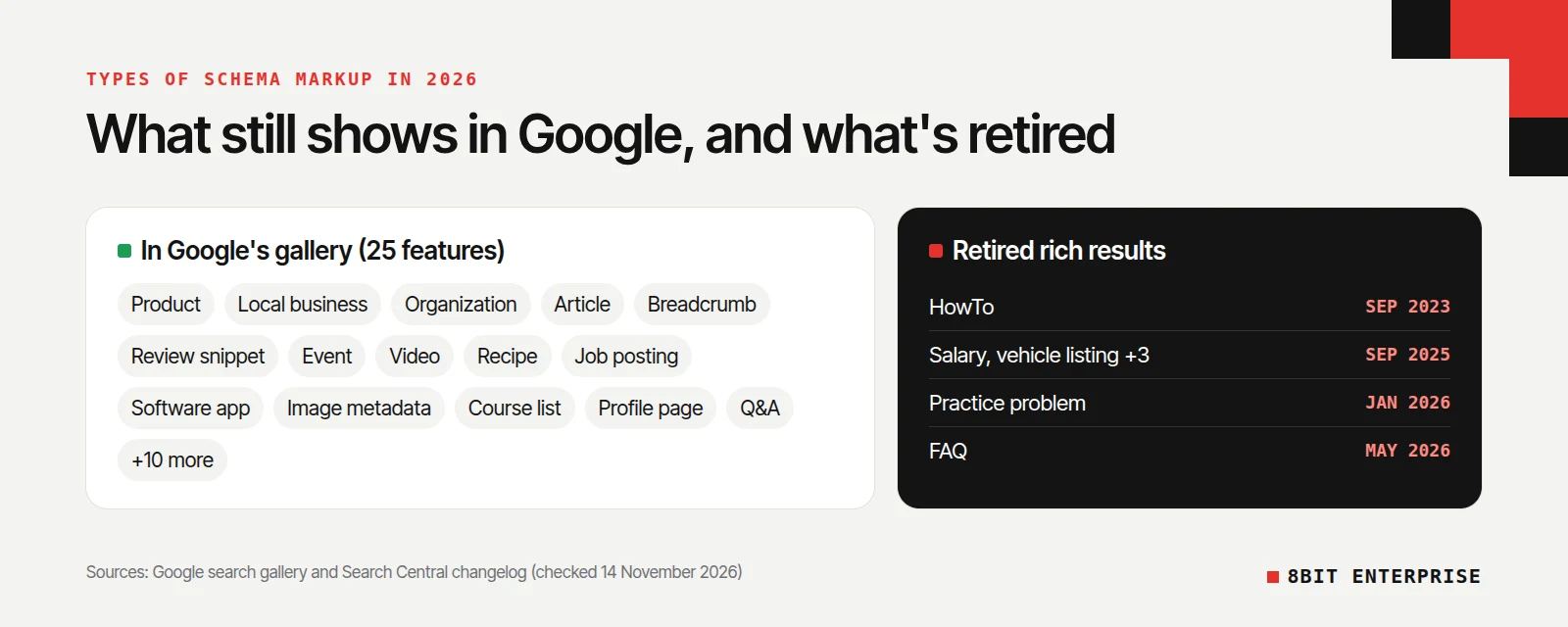
Schema.org lists 826 types, but Google only uses a small set for visible features. On 14 November 2026, Google’s search gallery listed 25 structured data features. Several types that older guides still recommend have been retired, so check this list before adding anything.
Here are the features most websites can use, grouped by the kind of site:
| Type of site | Schema types worth using | What they can show |
|---|---|---|
| Any business | Organization, Local business | Logo, contact details, address, opening hours |
| Online store | Product (with Offer), Review snippet | Price, stock, shipping, returns, star ratings |
| Blog or publisher | Article, Breadcrumb, Image metadata | Headline, date, image, breadcrumb path |
| Events and venues | Event | Event dates, location and details |
| Video creators | Video | Thumbnail, duration, key moments |
| Recipes | Recipe | Image, cooking time, ratings |
| Jobs and education | Job posting, Course list | Job details, course listings |
| Software | Software app | Rating and price |
The full gallery also includes Carousel, Dataset, Discussion forum, Education Q&A, Employer aggregate rating, Math solver, Movie, Profile page, Q&A, Speakable, Subscription and paywalled content, and Vacation rental.
Schema types Google has retired
These types are still valid schema.org code, but Google no longer turns them into rich results:
| Type | Retired | Source |
|---|---|---|
| HowTo | September 2023 | Google Search Central blog |
| Course info, estimated salary, learning video, special announcement, vehicle listing | September 2025 | Search Central changelog |
| Practice problem | January 2026 | Search Central changelog |
| FAQ | May 2026 | Search Central changelog |
If a plugin or agency is still adding FAQ or HowTo schema to earn extra space in results, that benefit no longer exists. Our post on FAQ schema in 2026 covers when that markup is still worth keeping.
What Are the Benefits of Schema Markup?
The benefits of schema markup are practical rather than magical: clearer facts for search engines, eligibility for richer listings, and control over details like prices and opening hours. None of them is a ranking boost. The value depends on whether your page type has a matching Google feature.
- Richer listings where they apply. A product with price and stock in its listing gives shoppers a reason to click before they arrive.
- Fewer wrong facts. Clear labels reduce the chance a search engine shows the wrong price, phone number or date.
- A consistent business profile. Organization markup ties your name, logo and contact details together across the site.
- Reuse beyond Google. Bing reads schema, and Microsoft says its language models use it.
The main cost is maintenance. Markup that falls out of date, such as an old price, breaks Google’s rule that structured data must match the visible page.
How to Add Schema Markup to Your Website
You can add schema markup in three ways: let your platform or plugin do it, use a generator, or write the JSON-LD yourself. In our view, small sites rarely need more than the first two. Whichever you choose, the markup must describe content that’s actually visible on the page.
- Check what you already have. Open your page source and search for “application/ld+json”, or run the page through Google’s Rich Results Test. Shopify themes, WooCommerce and SEO plugins like Yoast often add schema automatically.
- Pick the type that matches the page. Product for a product page, Article for a blog post, LocalBusiness or Organization for your home or contact page.
- Generate the code. Use a plugin’s settings, or a free tool like our schema markup generator, which builds Product, Organization, Local Business and FAQ JSON-LD in your browser.
- Add it to the page. Paste the script block into the page’s HTML, through your theme, a custom HTML block or your plugin’s schema settings.
- Test it twice. Use the Rich Results Test to see which Google features the page qualifies for, and the Schema Markup Validator at validator.schema.org to check the code against schema.org.
- Watch Search Console. Its enhancement reports show errors and warnings across the site after Google recrawls your pages.
Shopify and WordPress shortcuts
On Shopify, the official themes we tested already output Product schema. Our test of Shopify’s Dawn and Horizon demo stores, covered in our ecommerce schema guide, found product name, price, stock and variants, but no shipping or return policy markup. On WordPress, plugins like Yoast SEO and Rank Math add Organization, Article and Breadcrumb markup without any code.
Rich Results Test or schema markup validator?
The two tools answer different questions. The Rich Results Test only reports features Google supports, so it ignores retired types like FAQ. When we tested our homepage on 14 November 2026, it listed Breadcrumbs, Local businesses and Organization, and said nothing about the FAQPage block on the same page. The Schema Markup Validator checks everything against schema.org and showed that FAQPage as valid, with 0 errors.
Common Schema Markup Mistakes to Avoid
Two of the easiest schema problems to spot are markup that doesn’t match the page and several tools adding conflicting blocks. Both are easy to check in your page source, and both matter more than which generator you use. The list below covers those and four other mistakes to check for.
- Marking up content visitors can’t see. Google’s guidelines say not to, and it can lead to a manual action.
- Duplicate blocks. A theme and a plugin both adding Product or Organization markup can send mixed signals. Keep one source per type.
- Stale facts. Hard-coded prices or hours go out of date. Pull them from your product or business data instead.
- Chasing retired features. FAQ and HowTo markup no longer produce rich results in Google.
- Wrong type for the page. Marking a blog post as a Product, or a service business as a Store, confuses rather than clarifies.
- Expecting a ranking jump. Schema helps search engines read your page. It doesn’t replace useful content or links.
Frequently Asked Questions
What is schema markup in simple terms?
Schema markup is a set of labels added to a web page’s code that tell search engines what each piece of information means, such as a price, an address or an author. Visitors don’t see it. It uses the schema.org vocabulary, founded by Google, Microsoft, Yahoo and Yandex, which lists 826 types.
Is schema markup a ranking factor?
No. Google’s John Mueller confirmed in April 2025 that structured data won’t make a site rank better. It’s used to understand pages and display search features like price, stock or review stars. Those richer listings can raise click-through rates, which Google’s own case studies show, but the markup doesn’t move rankings by itself.
What are the most common types of schema markup?
These types match features Google still supports in 2026 and suit many websites:
- Organization or LocalBusiness for the business itself
- Product with Offer for items you sell
- Article and Breadcrumb for blog posts
- Review snippet for genuine ratings
- Event or Video where they fit the page
Do I need a developer to add schema markup?
Often not. Shopify themes, WooCommerce and WordPress SEO plugins like Yoast add common schema automatically. For anything extra, a free generator can build the JSON-LD for you to paste into the page. A developer helps when you need markup tied to dynamic data, such as prices that change across thousands of products.
How do I check if my schema markup is working?
Run the page through Google’s Rich Results Test to see which Google features it qualifies for, and through the Schema Markup Validator at validator.schema.org to check the code itself. Then watch the enhancement reports in Google Search Console, which show errors and warnings across all your pages after Google recrawls them.
Conclusion
Schema markup is the quiet labelling layer that tells search engines what your page is about. It won’t lift rankings on its own, but on the right pages it unlocks richer listings, keeps your facts accurate, and costs little once it’s in place. Check what your platform already adds, use the types Google still supports in 2026, and keep the markup matching your page.